

Appearance
Helpers: Sum, SumIf and friends
The helpers turn a list of values into one value. They behave like their Excel namesakes, and they skip empty values instead of failing on them.
They're available in every aggregated field and every dynamic column. In a dynamic column they're most useful when the data source has a Reference only child, because that's when a dynamic column has lists to work with.
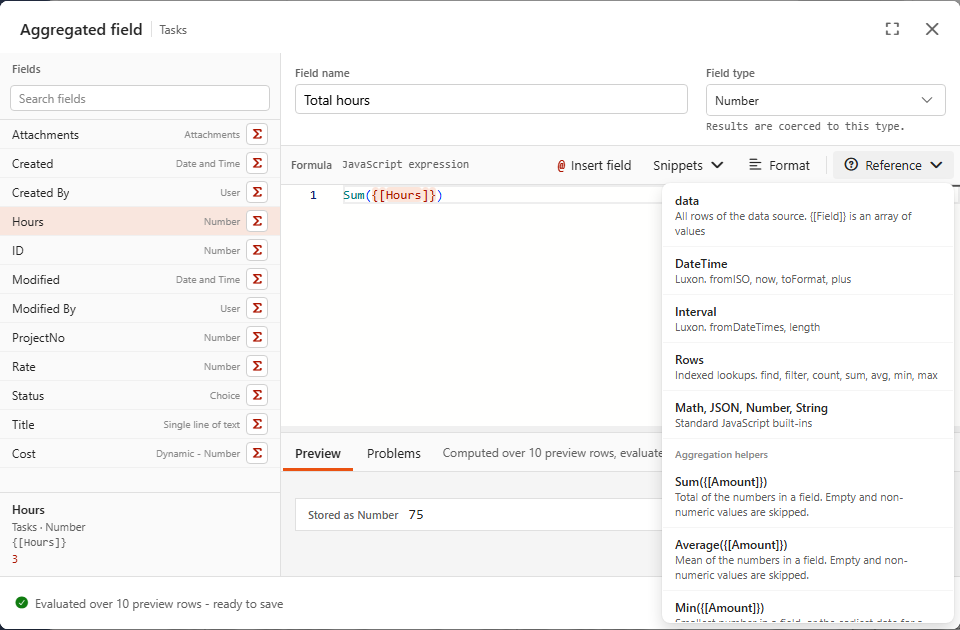
Simple helpers
| Helper | Returns | Ignores | Empty list gives |
|---|---|---|---|
Sum({[Amount]}) | total | empty values, text, NaN (even "12" as text) | 0 |
Average({[Amount]}) | mean | same as Sum | empty |
Median({[Amount]}) | middle value | same as Sum | empty |
Min({[Amount]}) / Max({[Amount]}) | smallest / largest number, or earliest / latest date for date fields | empty values | empty |
Count({[Title]}) | number of non-empty values | null, '' | 0 |
CountDistinct({[Owner]}) | number of different non-empty values | null, '' | 0 |
First({[Title]}) / Last({[Title]}) | first / last non-empty value | null, '' | empty |
Numbers stored as text are skipped
Sum adds up real numbers only. If a column holds numbers as text, convert them first: Sum({[Amount]}.map(Number)).
Conditional helpers
js
SumIf(values, criteriaValues, criterion)
AverageIf(values, criteriaValues, criterion)
CountIf(criteriaValues, criterion)
They go through the rows side by side: the 1st value is kept if the 1st criteria value matches, the 2nd if the 2nd matches, and so on.
criterion is either:
- a value: an exact match (
'Open',false,3), or - a test written as a small function:
(status) => status !== 'Done'.
From the demo's Project costs data source:
js
SumIf({[Expenses_Amount]}, {[Expenses_Approved]}, false)            // Pending approval = 6850
SumIf({[Expenses_Amount]}, {[Expenses_Category]}, 'Hardware')       // Hardware spend = 16800
SumIf({[Tasks_Hours]}, {[Tasks_Status]}, (status) => status !== 'Done') // Open task hours = 85
CountIf({[Budget status]}, 'Over budget')                           // Projects over budget = 1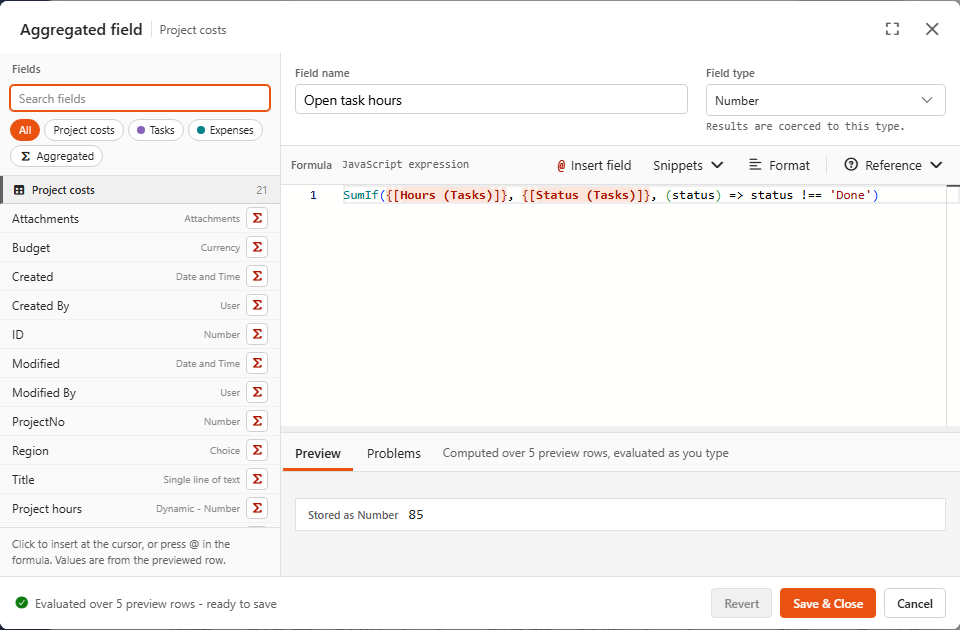
Use lists from the same data source
SumIf({[Tasks_Hours]}, {[Status]}, ...) mixes task hours with project statuses. The two lists have different lengths and unrelated orders, so the result is meaningless. Nothing warns you about this, so take care: both lists should come from the same source (Tasks_... with Tasks_...).
Snippets
The Snippets menu of an aggregated field:
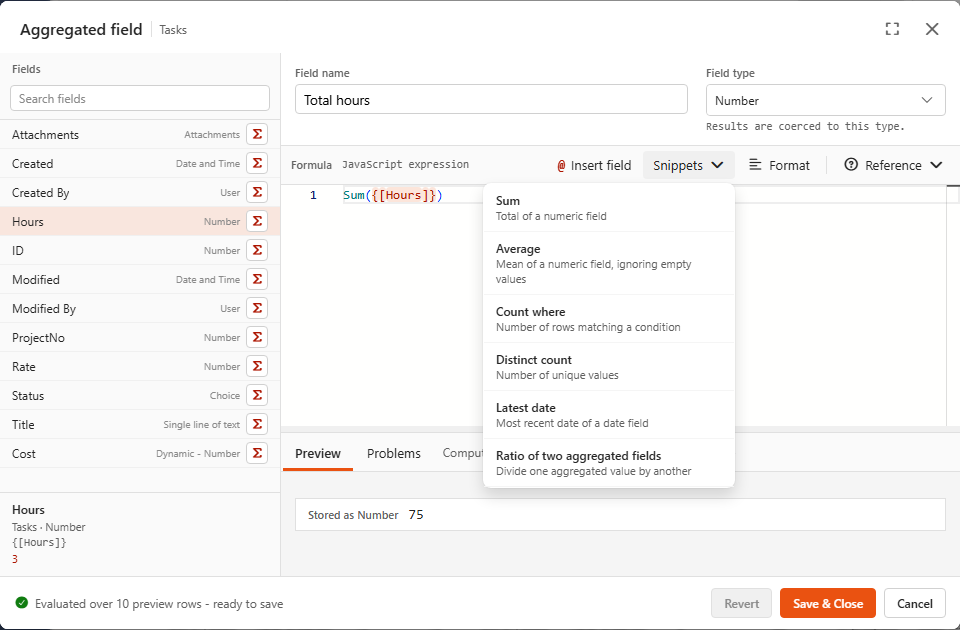
| Snippet | Formula | Notes |
|---|---|---|
| Sum | Sum({[Value]}) | Total of a numeric field |
| Average | Average({[Value]}) | Mean, ignoring empty values |
| Count where | CountIf({[Status]}, 'Open') | Rows matching a value. For a test, use CountIf({[Status]}, (s) => s !== 'Done') |
| Distinct count | CountDistinct({[Value]}) | Unique values, e.g. number of customers |
| Latest date | Max({[Date]}) | Set the type to Date and Time. Min gives the earliest |
| Ratio of two aggregated fields | {[Won]} / {[Total]} | Both tokens are aggregated fields, so this is plain arithmetic |
Replace each placeholder (Value, Status, Date, Won, Total) with a real field after inserting.
The editor helps you
Σnext to a field inserts a helper that suits the field's type.- Right-click a field token in the formula for Aggregate: ... actions that wrap it in a helper.
- Typing a helper name shows its parameters and description.