

Appearance
Reference only vs. a regular join
When you connect a second data source (the child) to a data source (the parent), the Join Kind in the Merge dialog decides what happens to the rows.
| Join kind | Rows of the result | Use it when |
|---|---|---|
| Left Outer | every parent row, plus the matching child row's columns | each parent row has at most one matching child row (a lookup) |
| Inner | only parent rows that have a match | the same, but unmatched rows should disappear |
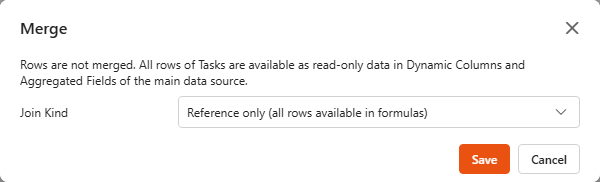
| Reference only | the parent rows, unchanged. Every row can read all child rows in formulas | one parent row has many child rows (a project has many tasks), or the child is a lookup table you want to search in your own way |
Why "Reference only"?
A regular join with one-to-many data multiplies rows. A project with 6 tasks becomes 6 rows, so its budget is counted 6 times. Reference only keeps one row per project. The tasks are attached as read-only reference data, and you decide in a formula how to use them: total, count, latest, look up.
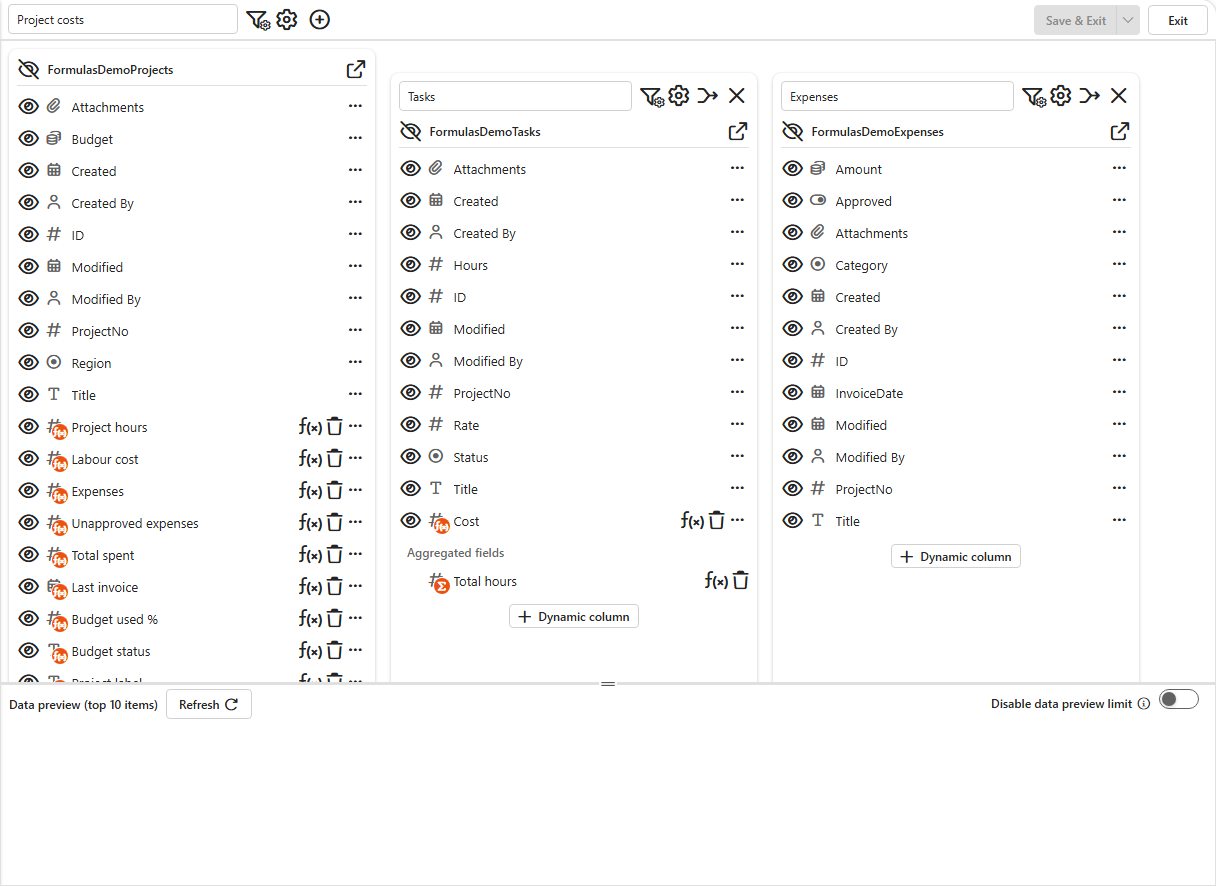
In the demo, Project costs has two Reference only children:
- Tasks: 20 timesheet lines, several per project.
- Expenses: 12 invoices, several per project.
Setting it up
- Create the child data source first (here Tasks and Expenses), with its own dynamic columns and aggregated fields.
- Open the parent data source (Project costs) and click Connect data source (the
+in the header). Pick the child and click Connect. - In the child's header, open the merge settings and choose Reference only (all rows available in formulas). No matching columns are needed.
- Add dynamic columns and aggregated fields on the parent that use the child, see Formulas over reference data.
Good to know
- Name the child data source with a short, simple name. Its name becomes a prefix in every formula: a child called Tasks gives
{[Tasks_Hours]},{[Tasks_MergedData_]}. - The child is loaded completely. Its own row limit applies; the dashboard's and the designer preview's limits don't. Keep reference children reasonably small (thousands of rows are fine; very large lists slow every load).
- Child columns are not offered in dashboard components. The parent's rows are unchanged. Use them in formulas and show the results.
- The child's own dynamic columns and aggregated fields work. Tasks > Cost is available to the parent as a field of the reference rows, and Tasks > Total hours as
{[Tasks_<Total hours>]}. - Define the child's aggregated fields in the child data source itself, before (or after) connecting it. The child's card inside the parent designer only has the
+for dynamic columns. - You can combine Reference only children with regular joins in one data source.