

Appearance
Formulas over reference data
Once a child is connected as Reference only, the Fields list of the parent's formula editor gets a section per child.
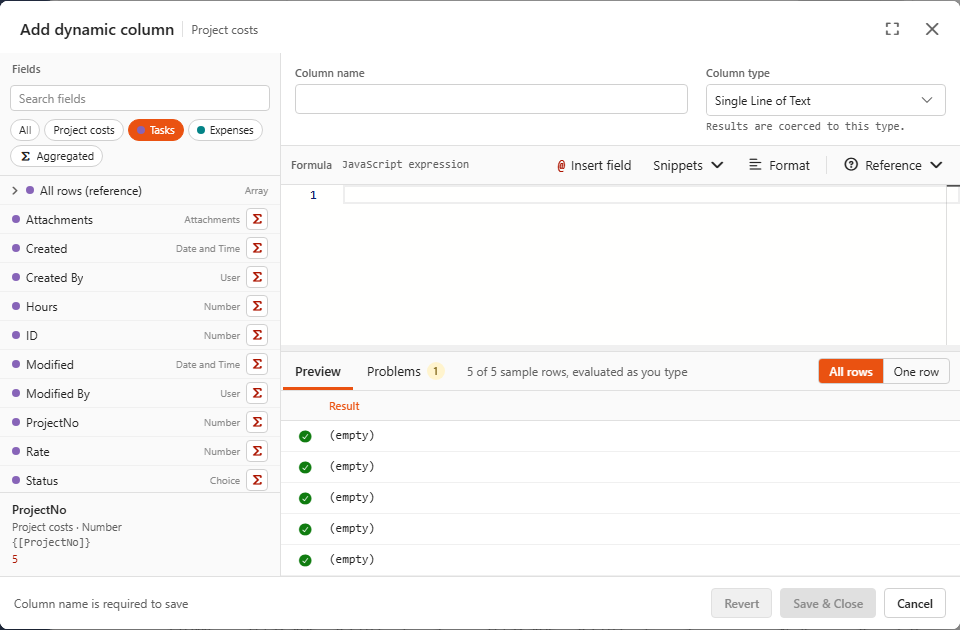
Each section offers three kinds of fields. Using a child called Tasks:
| Field in the list | Token | What it is, in a dynamic column of the parent |
|---|---|---|
| All rows (reference) | {[Tasks_MergedData_]} | the list of all task rows. Each row has every task field (Hours, ProjectNo, ...) |
Hours, Status, ... (with Σ) | {[Tasks_Hours]} | the list of that field's values across all tasks |
| Total hours (the child's aggregated field) | {[Tasks_<Total hours>]} | the single value of the child's aggregated field |
The same tokens work in aggregated fields of the parent. They also work when the parent has no rows at all.
In this guide, <Total hours> inside a token stands for a field with a generated internal name (dynamic columns and aggregated fields). You never type it. Click the field and the editor inserts the right name.
Three ways to get "the tasks of this project"
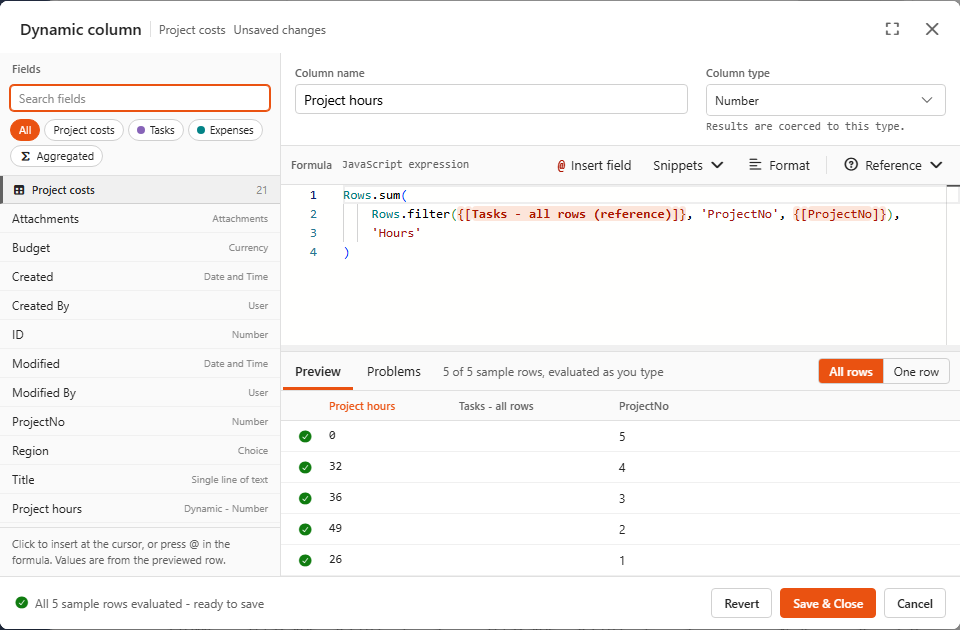
Each project row needs only its own tasks: those whose ProjectNo equals the row's ProjectNo. All three formulas below give the demo's Project hours (26, 49, 36, 32, 0).
1. The Rows helper (recommended)
js
Rows.sum(Rows.filter({[Tasks_MergedData_]}, 'ProjectNo', {[ProjectNo]}), 'Hours')Read it from the inside out: take all task rows, keep those whose ProjectNo equals this row's {[ProjectNo]}, then add up their Hours. It's fast however many rows there are, see The Rows helper.
2. SumIf over child fields
js
SumIf({[Tasks_Hours]}, {[Tasks_ProjectNo]}, {[ProjectNo]})The same in spreadsheet style: sum task hours where task ProjectNo equals this project's number. This is how the demo calculates Labour cost, from the child's dynamic column Cost:
js
SumIf({[Tasks_<Cost>]}, {[Tasks_ProjectNo]}, {[ProjectNo]})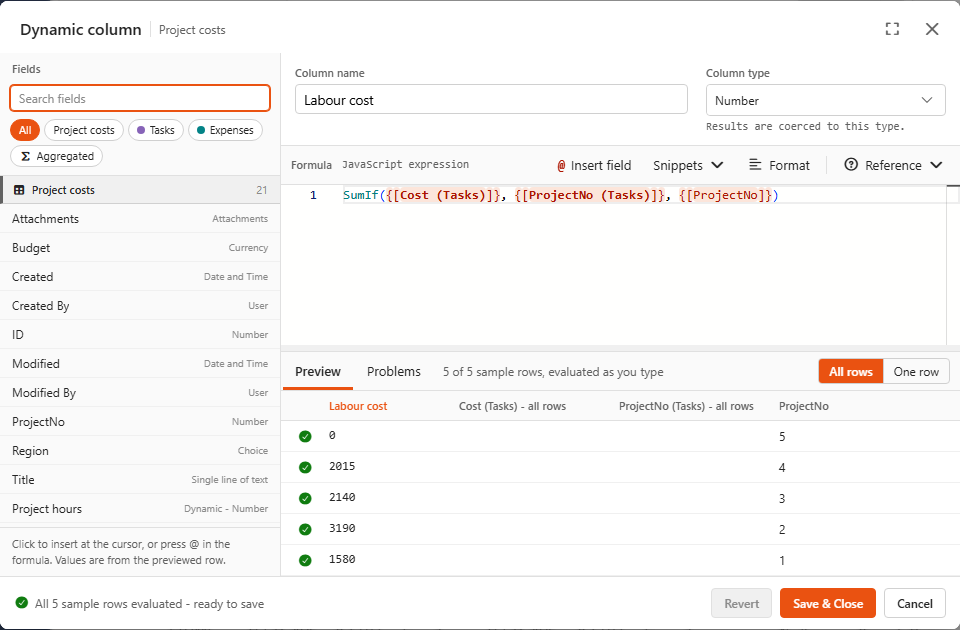
SumIf goes through all child rows for every parent row. That's fine for hundreds of rows. For thousands, prefer Rows.
3. Plain JavaScript
js
{[Tasks_MergedData_]}
    .filter((task) => task.ProjectNo === {[ProjectNo]})
    .reduce((sum, task) => sum + task.Hours, 0)
Most flexible, slowest: like SumIf, it scans all rows for every row. Use it for conditions that Rows can't express, ideally after narrowing with Rows.filter first (see recipes).
Exploring the reference rows
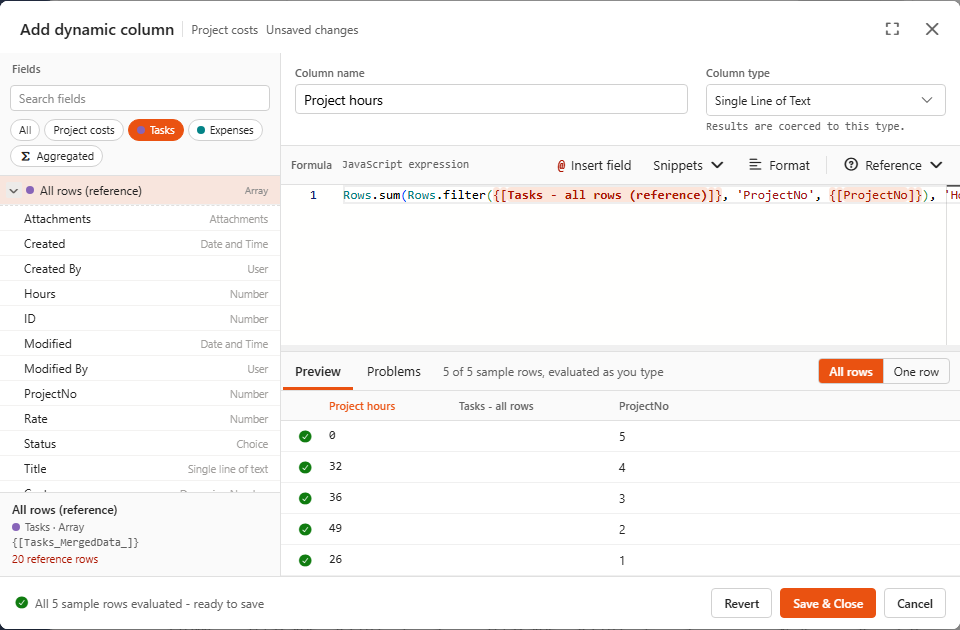
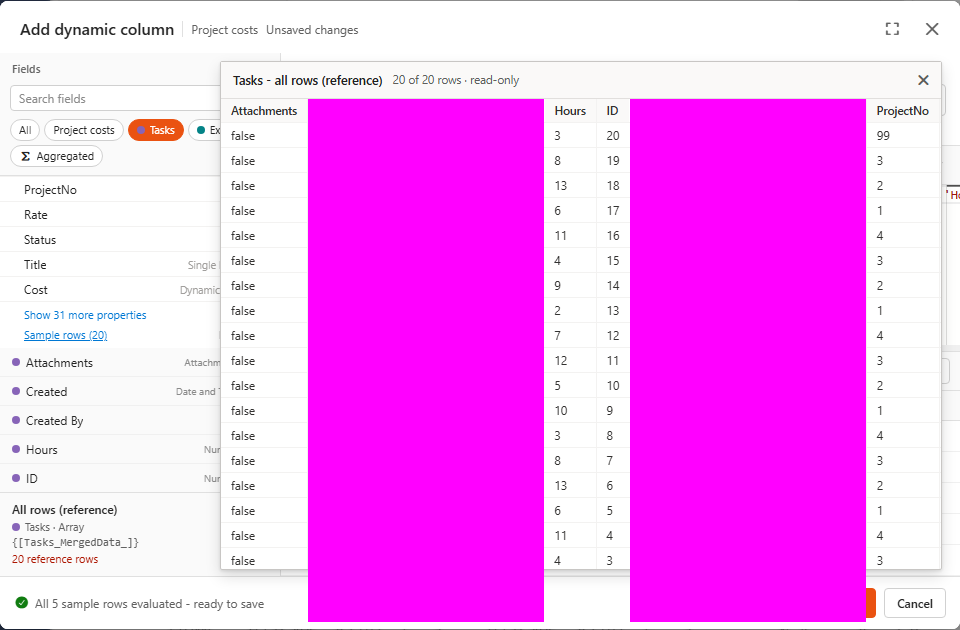
Expand All rows (reference) to see the fields every reference row has. Click a field to insert a complete reference to it. Sample rows shows the actual rows.
Property names are internal names
Inside reference rows, fields are named by their internal name: task.Hours, 'ProjectNo'. For a dynamic column of the child that's its generated name (column_37af...), not Cost. Insert those by clicking them in the expanded list, which puts in the right name. The editor shows a hint with the display name.
More examples from the demo
js
// Expenses of this project
Rows.sum(Rows.filter({[Expenses_MergedData_]}, 'ProjectNo', {[ProjectNo]}), 'Amount')

// Unapproved expenses: filter twice, then sum
Rows.sum(Rows.filter(Rows.filter({[Expenses_MergedData_]}, 'ProjectNo', {[ProjectNo]}), 'Approved', false), 'Amount')

// Last invoice date (type Date and Time)
Max(Rows.filter({[Expenses_MergedData_]}, 'ProjectNo', {[ProjectNo]}).map((e) => e.InvoiceDate))

// This project's share of all task hours, using the child's aggregated field
Math.round({[Project hours]} / {[Tasks_<Total hours>]} * 1000) / 10

// Number of this project's tasks in progress
Rows.count(Rows.filter({[Tasks_MergedData_]}, 'ProjectNo', {[ProjectNo]}), 'Status', 'In progress')
And aggregated fields of the parent over the child:
js
Sum({[Expenses_Amount]})                                        // All expenses = 26500, includes project 99
SumIf({[Expenses_Amount]}, {[Expenses_Category]}, 'Hardware')   // Hardware spend = 16800
Sum({[Project hours]})                                          // 143: hours of known projects only
Orphans
Sum({[Tasks_Hours]}) counts every task (146 hours), including the task of project 99. Sum({[Project hours]}) counts only tasks matched to a project (143). Comparing the two is a cheap data-quality check.
Reference data is read-only
Reference rows are shared by all parent rows, so they're locked. Reading is fine, but sort, reverse, push and splice fail. Copy the list first:
js
[...{[Expenses_MergedData_]}].sort((a, b) => b.Amount - a.Amount)[0].Title // biggest invoice overall