

Appearance
Area chart
An area chart combines a line chart with a filled area: it shows how a number changes as another variable progresses, usually time, and fills the space between the line and the axis to emphasise the size of the values.
For example, an area chart of the price of petrol in Northern Ireland over 12 months shows at a glance that the price rose during the year, and which months were the cheapest.
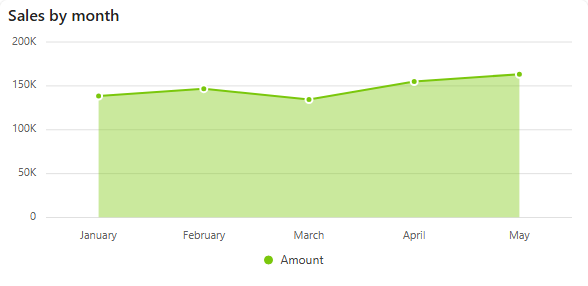
Add an area chart
- In the designer, open the Charts tab of the Widgets pane and drag Area Chart onto the dashboard. Resize it as required.
- On the Assign Data tab, pick the Data source.
- Add the number to plot to Values and the time field to Category. Optionally add a field to Series for one area per group.
- Name the chart and adjust its look on the Properties tab, then save the dashboard.
Every setting is described in Common chart settings.