

Appearance
Cannot open forms in a dialog
Symptom
A form doesn't open when you click it in the left navigation or open an item from a grid on a dashboard.
Cause
At the end of 2022, security changes in several browsers stopped forms opening in a dialog from Sintel BI. The form was set to open in a dialog, so nothing appeared.
Current versions of Sintel BI open forms in a dialog again: SharePoint list forms, and Sintel Apps forms (previously Sintel Forms). If you still see this problem, the most likely cause is an older version of Sintel BI on your tenant or site.
Fix
Who can fix this
Step 1 needs a SharePoint administrator. Step 2 needs someone who can edit the dashboard (for grids, boards and cards) or the Sintel BI settings (for navigation links). If that isn't you, send this page to your site owner.
- Update Sintel BI to the latest version. See How to update.
- If a form still doesn't open, change where it opens instead of using a dialog:
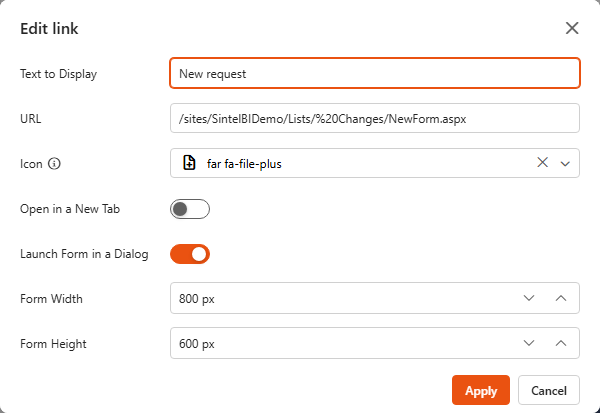
- Navigation link: open Settings > Navigation, edit the link and switch off Launch Form in a Dialog, or switch on Open in a New Tab.
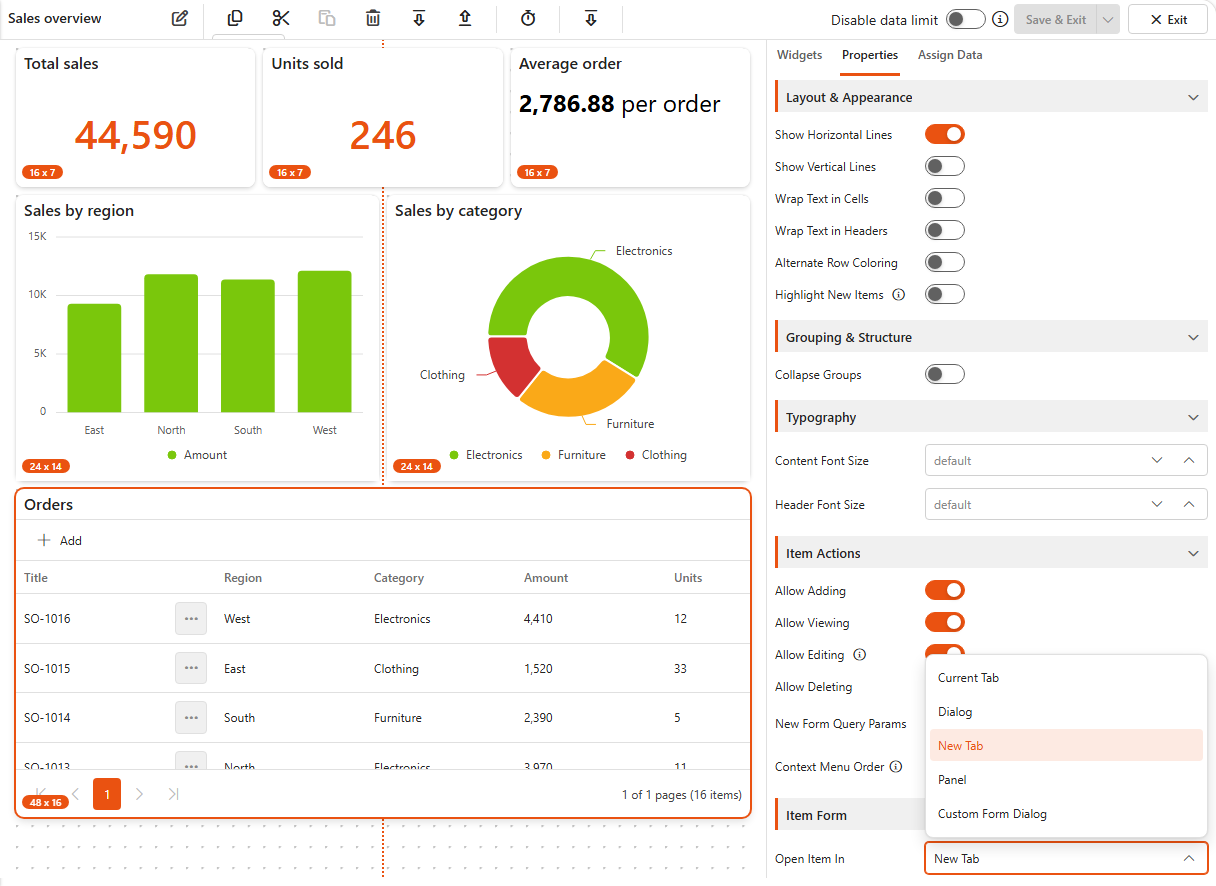
- Grid, Kanban board, Card and Gantt: edit the widget and, in its Item Form settings, change Open Item In from Dialog to New Tab. The other options are Current Tab, Panel (a side panel) and Custom Form Dialog.
See Navigation and Grid.