

Appearance
Step line chart
A step line chart is a line chart whose points are joined by horizontal and vertical segments, so the series forms a step-like progression.
Use it to highlight changes that happen at specific points rather than gradually, for example changes in interest rates, tax rates or fuel prices. It lets you compare the size of each change and see the irregular pattern of the changes at the same time.
A normal line chart joins points with the shortest possible line, which makes values look as if they change gradually. A step line chart shows that the value stays the same until the moment it changes.
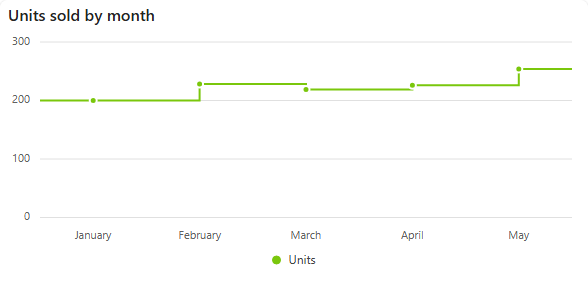
Add a step line chart
- In the designer, open the Charts tab of the Widgets pane and drag Step Line Chart onto the dashboard. Resize it as required.
- On the Assign Data tab, pick the Data source.
- Add the number to plot to Values and the time field to Category. Optionally add a field to Series for one step line per group.
- Name the chart and adjust its look on the Properties tab, then save the dashboard.
Every setting is described in Common chart settings.
Long category names
If the category labels overlap, use Axis Label Rotation (Properties > Axes) to rotate them, for example by -45 degrees.