

Appearance
Export: error
Symptom
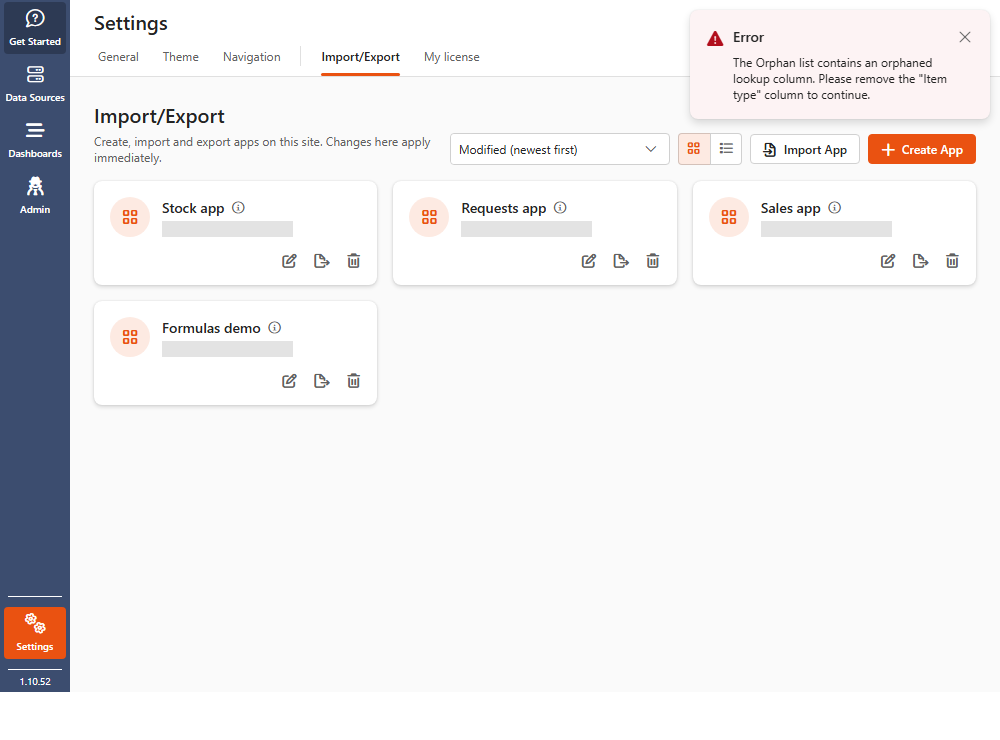
When you export an app, the export fails and Sintel BI shows an error, for example:
The ListName list contains an orphaned lookup column. Please remove the "ColumnName" column to continue.
or a general Something went wrong message.
Cause
The most common cause is one or more orphaned lookup columns in a list the app uses. An orphaned lookup column is no longer connected to the list it looks up.
This tends to happen when a form or app changes over time: a lookup column used in an early version is no longer needed, and its lookup list is deleted before the column. The column is then left pointing at a list that doesn't exist.
Fix
Who can fix this
Someone who can change the columns of the SharePoint list, usually a site owner. If that isn't you, send this page to your site owner.
- Find the orphaned lookup column. The error usually names the list and the column.
- If the column is no longer used, delete it from the list in SharePoint.
- If you still need the column, delete the orphaned one and re-create it from scratch, pointing at an existing list.
- Export the app again.
See also Error displaying data on a dashboard, which has the same cause.