

Appearance
Spline area chart
A spline area chart shows trends over a period of time. Like a spline chart, it joins the data points with a fitted curve instead of straight lines. Like an area chart, it fills the area between the curve and the axis with colour, to emphasise the size of the change over time.
Use it for data that benefits from a smooth curve, for example a product life cycle or an impulse response.
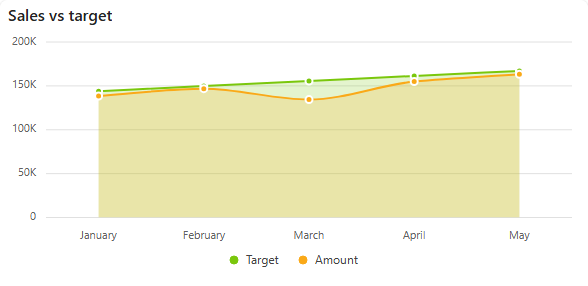
Add a spline area chart
- In the designer, open the Charts tab of the Widgets pane and drag Spline Area Chart onto the dashboard. Resize it as required.
- On the Assign Data tab, pick the Data source.
- Add the number to plot to Values and the time field to Category. Optionally add a field to Series for one area per group.
- Name the chart and adjust its look on the Properties tab, then save the dashboard.
Every setting is described in Common chart settings.