

Appearance
Error displaying data on a dashboard
Symptom
When you open a dashboard, one or more widgets show an error instead of their data:
Whoops! An error occurred. If you need assistance, please contact us.
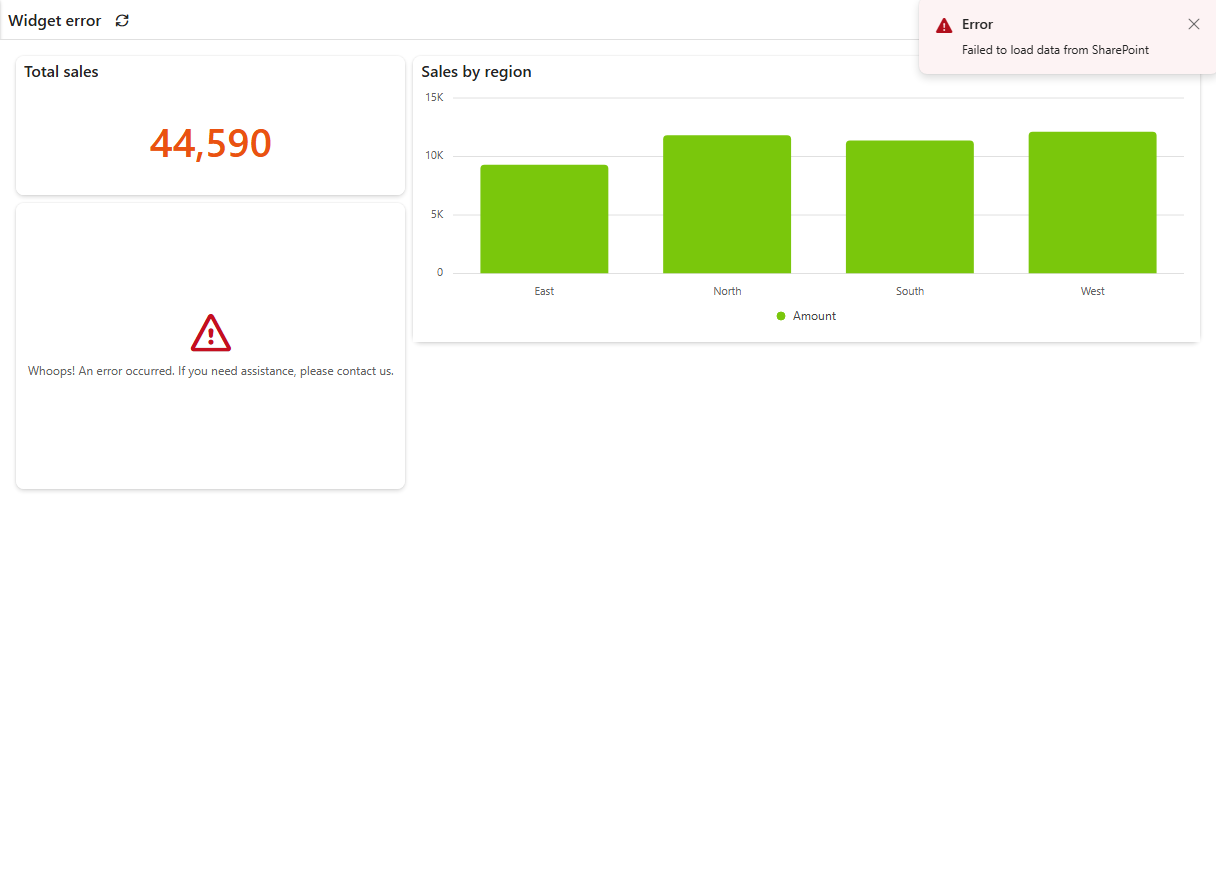
If the whole dashboard shows The server isn't responding instead, see Server isn't responding.
If you only view dashboards
This isn't caused by your computer, and you can't fix it yourself. Send this page to your site owner or the person who built the dashboard. How to find your site owner. The "contact us" in the message means Sintel support, which your site owner can contact if this page doesn't help.
Cause
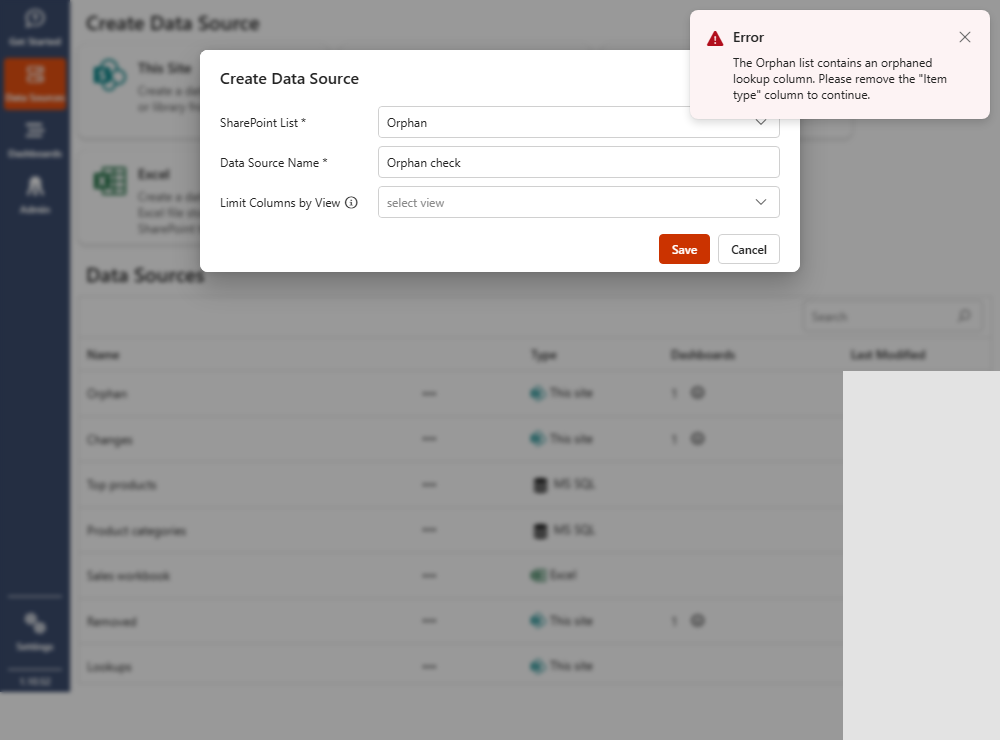
This is usually a problem with a data source the widget uses. A common cause is an orphaned lookup column: a lookup column in the source list that points to a list that no longer exists. When Sintel BI finds one, it names it:
The ListName list contains an orphaned lookup column. Please remove the "ColumnName" column to continue.
Fix
Who can fix this
Someone who can edit the dashboard and its data sources and change the columns of the SharePoint list, usually a site owner. If you only view the dashboard, send this page to the person who built it.
- Open the dashboard in edit mode and note which data sources the widgets use.
- Orphaned lookup columns don't show an error when you open an existing data source: its data loads with an empty column. To find them, try creating a new data source from the same list on the Data Sources page, or export the app. Both show the name of the orphaned column.
- Delete the orphaned lookup column from the source list in SharePoint.
- Open the affected data sources again and check that the column has data or is gone.
Once the data sources open without an error, the dashboard works again.
Other widget messages
A widget can also show Access denied - you do not have permissions to access this resource, Too many requests. Please check back in a few minutes. or The attempted operation is prohibited because it exceeds the list view threshold. These mean the user can't read the list, SharePoint is throttling requests, or the list view threshold was hit. They aren't caused by orphaned lookups.